Two Things I Did Not Know About The Apple Studio Display

Back in 2022, I was merely thinking about getting one. By 2025, those thoughts turned into reality. I purchased the display and maxed it out with the height adjustable stand and the nano texture glass. Now in 2026, my heart is a little heavy because Apple just released a new 2026 Studio Display. More on that later.
My old iMac (Retina 5K, 27-inch) had a very glossy panel, and I struggled during the day with mirrored sunlight from my windows and a skylight, and at night with reflections from a lamp. The nano texture glass effectively neutralized them all without sacrificing image quality. It was well worth the added cost.
Over time, I discovered two things not discussed much:
- The ambient light sensor is not in or near the camera lens.
- The display continuously draws 11-15 watts, even when the host Mac mini M4 is in sleep mode.
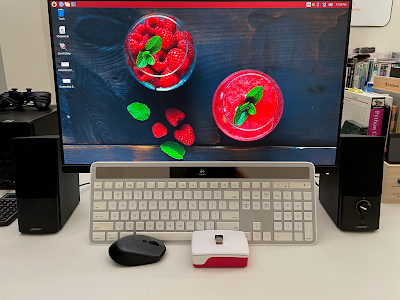
Regarding the ambient light sensor, when I positioned a light bar skewed left (see photo above), the Studio Display would dramatically auto-adjust brighter. Running a flashlight along the top bezel of the display, I found the ambient light sensor hiding in the left corner. It's an unexpected location, and there's probably a good engineering or ergonomic reason for it.
One guess would be that many people improvise a privacy shutter over the camera lens, usually with a Post-It note, which would also inadvertently block a co-located ambient light sensor. Another possibility is that light bars are traditionally mounted over the center of the display, and that would also cause interference. Worth noting is that light bars are helpful in a darkened room, with a lens that focuses light on the keyboard and desk area, and away from the display. They do not create reflections. For my current setup, I keep auto-brightness turned off.
As for the continuous power draw, I got curious when my Epson scanner, connected to the Studio Display's USB port, remained awake even though my Mac mini was off. I decided to take some measurements with a Kill A Watt power meter:
Mac mini off
|
Studio Display Power Consumption |
USB Accessory |
|
0 watts ✅ |
Nothing attached |
|
4-5 watts |
Generic USB C to A adapter |
|
7 watts |
Western Digital Passport Drive |
|
4-5 watts |
Epson Scanner on standby mode |
Mac mini in sleep mode
|
Studio Display Power Consumption |
USB Accessory |
|
11-15 watts 🤔 |
Nothing attached |
|
4-5 watts |
Epson Scanner on standby mode |
The most interesting measurements were when there were no USB accessories connected. When the Mac mini was off, there was no power draw. When the Mac mini was sleeping, however, 11-15 watts were continuously consumed.
I couldn't find an official explanation in Apple's documentation, but I surmised the Studio Display ignored the power state of the host Mac and stayed awake to run or charge a device that was plugged in. My old Dell UltraSharp 24 Monitor behaved similarly, but it had the option to turn off USB power when entering sleep mode. The Studio Display has no such feature.
Drawing 11-15 watts does seem a bit wasteful, especially if you keep your equipment on overnight. The only solution is to use a switched outlet. I opted for the eve energy strip which plays nicely in the Apple ecosystem. But yes, this also added to the final price tag of my Studio Display.
Speaking of price, the new 2026 Apple Studio Display maintains the same starting price of $1599. While it has better specs, the improvements are neither earth shattering nor, for those of us who bought one less than a year ago, heart breaking. Indeed, Apple Insider's comparison described the second generation model as a lackluster upgrade.
I'd wager the 2026 model also has its ambient light sensor in the upper left corner, and that it consumes 11-15 watts with no built-in way to turn that off. These are minor quibbles. The Studio Display of either generation is brilliant, in every sense of the word.

Comments